Autor: Lukas Pitter
Discussion: Join the conversation on LinkedIn
Tired of telling AI "select the left leg" and only to watch it grab the right one? What if you could just point instead?
Anyone who has used AI image editing like Nano Banana knows the pain of a prompt like "remove the background person" and it removes the foreground instead. You say "left arm" and it picks the right one. Prompting your way to a precise selection is a guessing game, but it shouldn't be.
The fix is simple: show, don't tell. Just click on the thing.
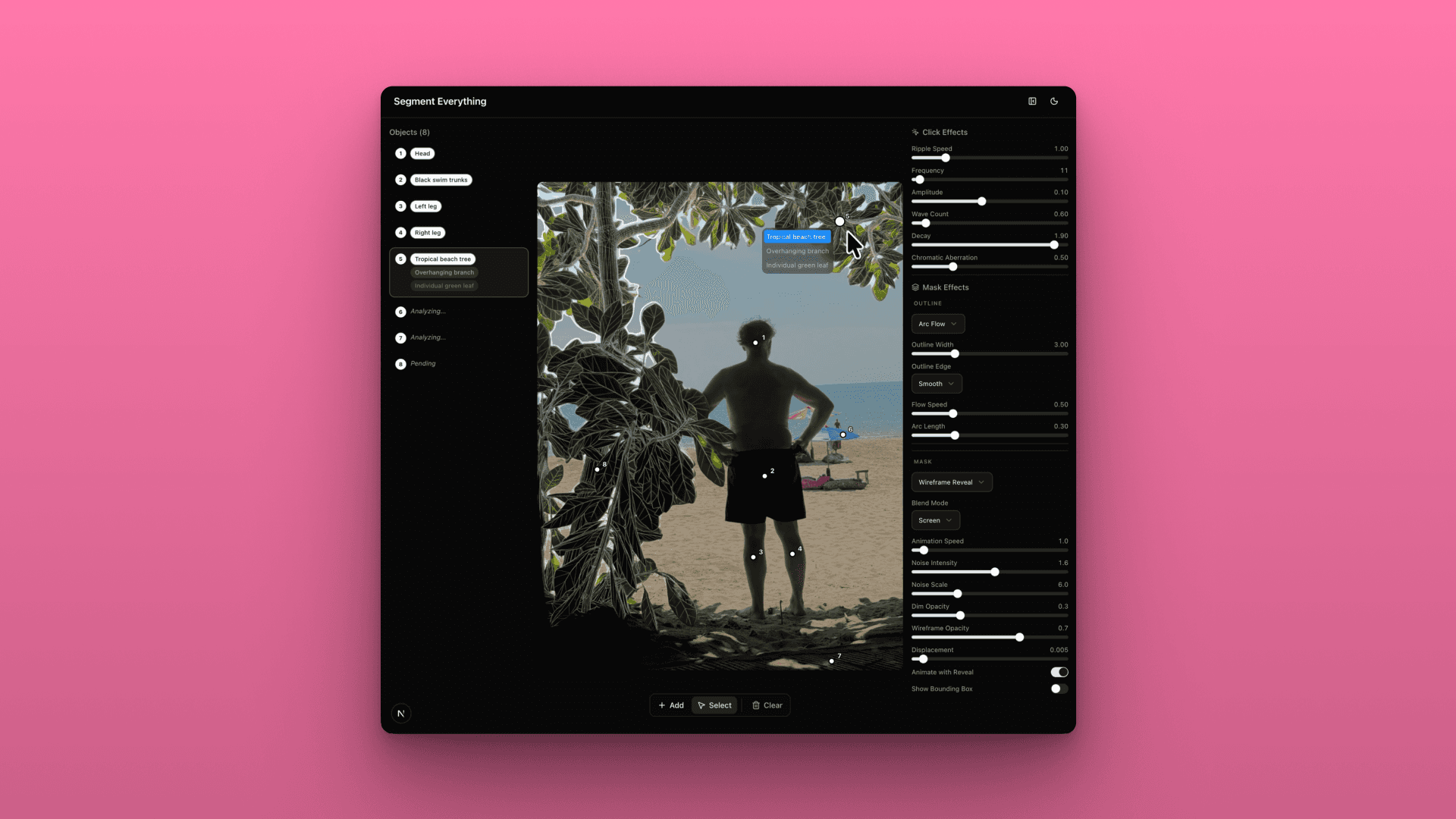
So I built exactly that. Point at any object in any image… a coffee cup, someone's arm, a building. And it's instantly isolated in a couple of seconds. No typing, no prompt engineering.
I wired together a couple of AI models into one pipeline to find out.
→ Gemini identifies and annotates every object in the scene
→ SAM3 generates pixel-perfect masks from those annotations
→ Custom GLSL shaders apply visual effects to the selection in real-time
Once you have a precise selection, everything downstream becomes easier — swapping, removing, restyling or adding things on the spot.
Right now I'm experimenting with wireframe reveals, outlines, and shader-based visualizations on the selected objects.
What would you do with "click to select anything"? What use cases am I missing?
⚙️ Behind the Scenes
Model: Segment Anything Model 2 (SAM 2) – The engine behind pixel-perfect masks and object isolation.
Intelligence: Google Gemini – Used for identifying and annotating objects in the scene.
Visualization: GLSL Shaders Guide – For real-time visual effects and wireframe reveals.